Mantle is the archive app for working photographers, videographers and designers. Find past work across every drive, even the ones in a drawer. Keep each job's files and paperwork together. See what's backed up and what isn't. No reorganizing, no uploading.
Ten drives.One of them fails.Is your best work backed up?
Your archive grew one drive at a time: originals, backups, edits, files sent to clients. Mantle knows what's on every drive, warns you when one starts to fail, and shows exactly which files have no other copy. Find anything, and know it's backed up, without moving a single file.
Backup 2019 AWon’t always mountfailing?
NEFDSC_4821.NEFWorking · June 2019
TIFAlbum_FINAL.tifBackup 2019 Aonly copy?
2016–2018In a drawer somewhere
NEFDSC_4821 (1).NEFBackup 2019 Bsame?
JPGDSC_4821_web.jpgSent to client · Dropbox
LrcWedding_2019_v2.lrcatBackup 2019 A · latest editsonly copy?
!
Backup 2019 A is failing
Drive health warning · 41,208 files · 1,268 with no backup
✓Also on another drive39,940 files · Working, Backup 2019 Bsafe
Only on this drive1,267 files · wedding album TIFFsno backup
LrLightroom catalog · your editsWedding_2019_v2.lrcatno backup
✓PreviewsSaved in your catalogbrowse anytime
Copy to a new driveEvery file checked after copying
Import & protection
Back it up once. Know it’s safe.
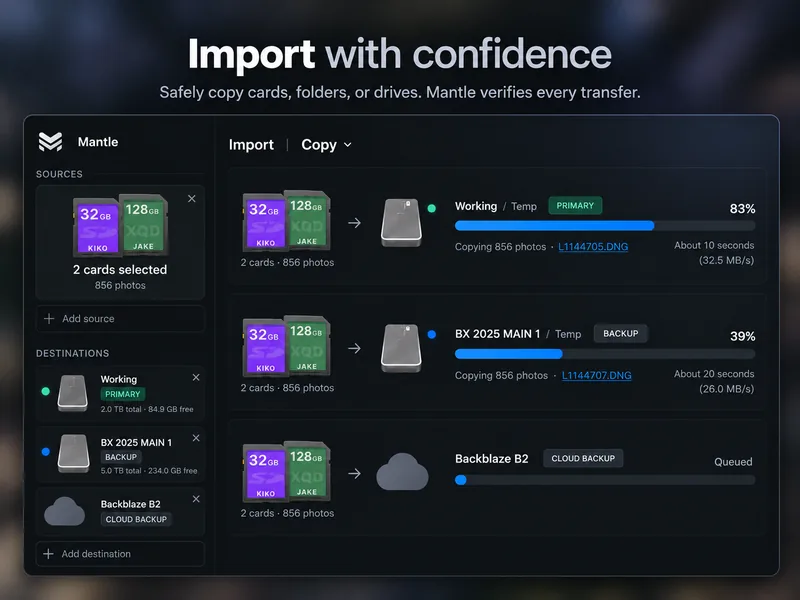
Copy a shoot from your card to your working and backup drives in one go. Mantle checks every copy, keeps your edits and exports linked to the original, and shows at a glance what still needs a backup.
From card to backup in one pass
Name folders and files your way. Mantle checks each destination, skips anything you’ve already imported, and reports what finished or needs attention. Check the backup results before ejecting the card.
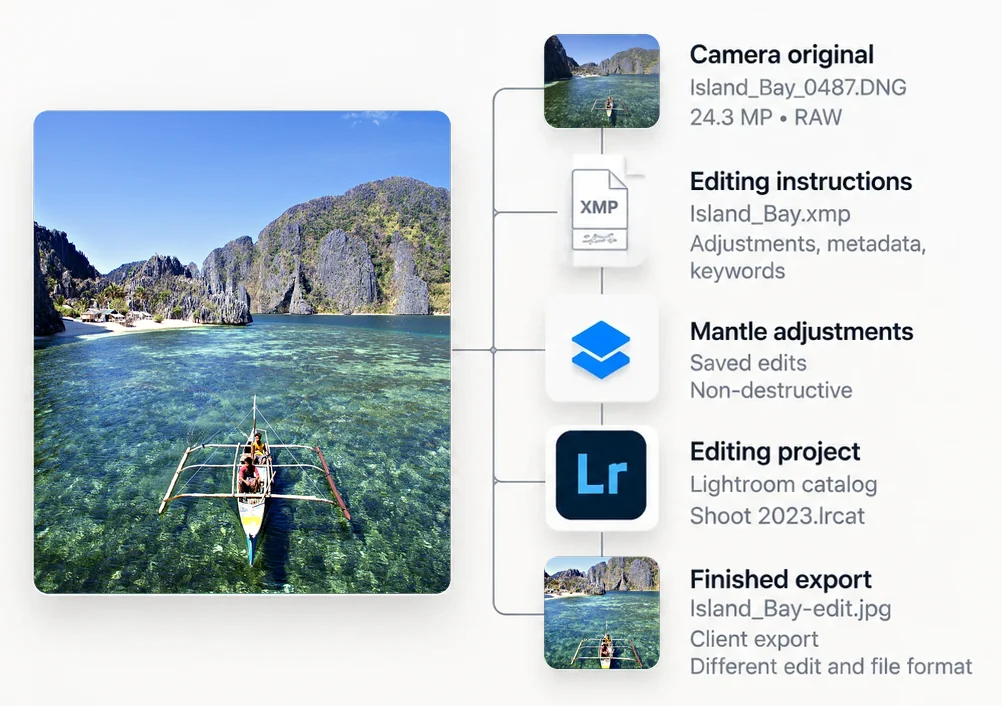
Keep related files connected
See the original next to its edited versions and exports, and back up your Lightroom catalogs and edit files along with your photos.
See what’s backed up.
Which files have a copy on another drive, when it was last checked, and what still needs one.
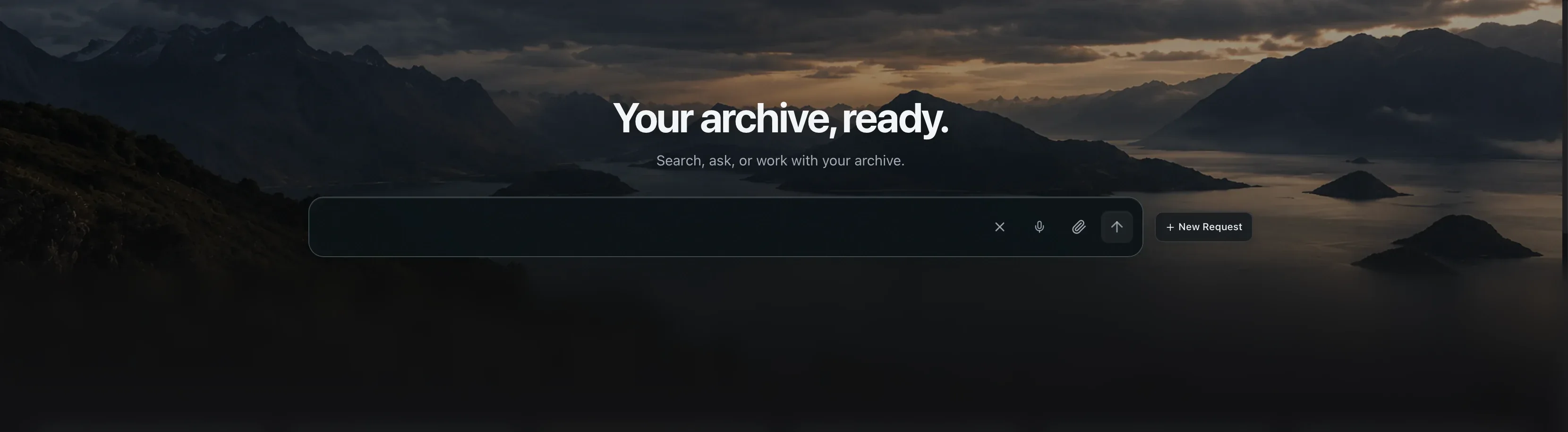
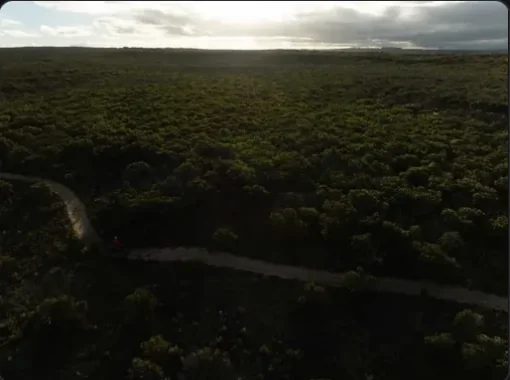
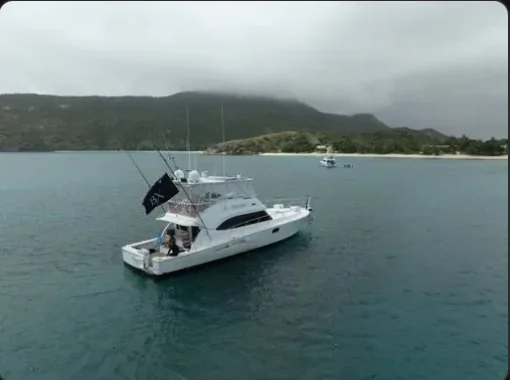
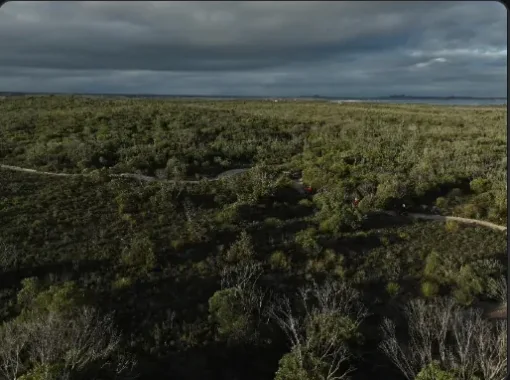
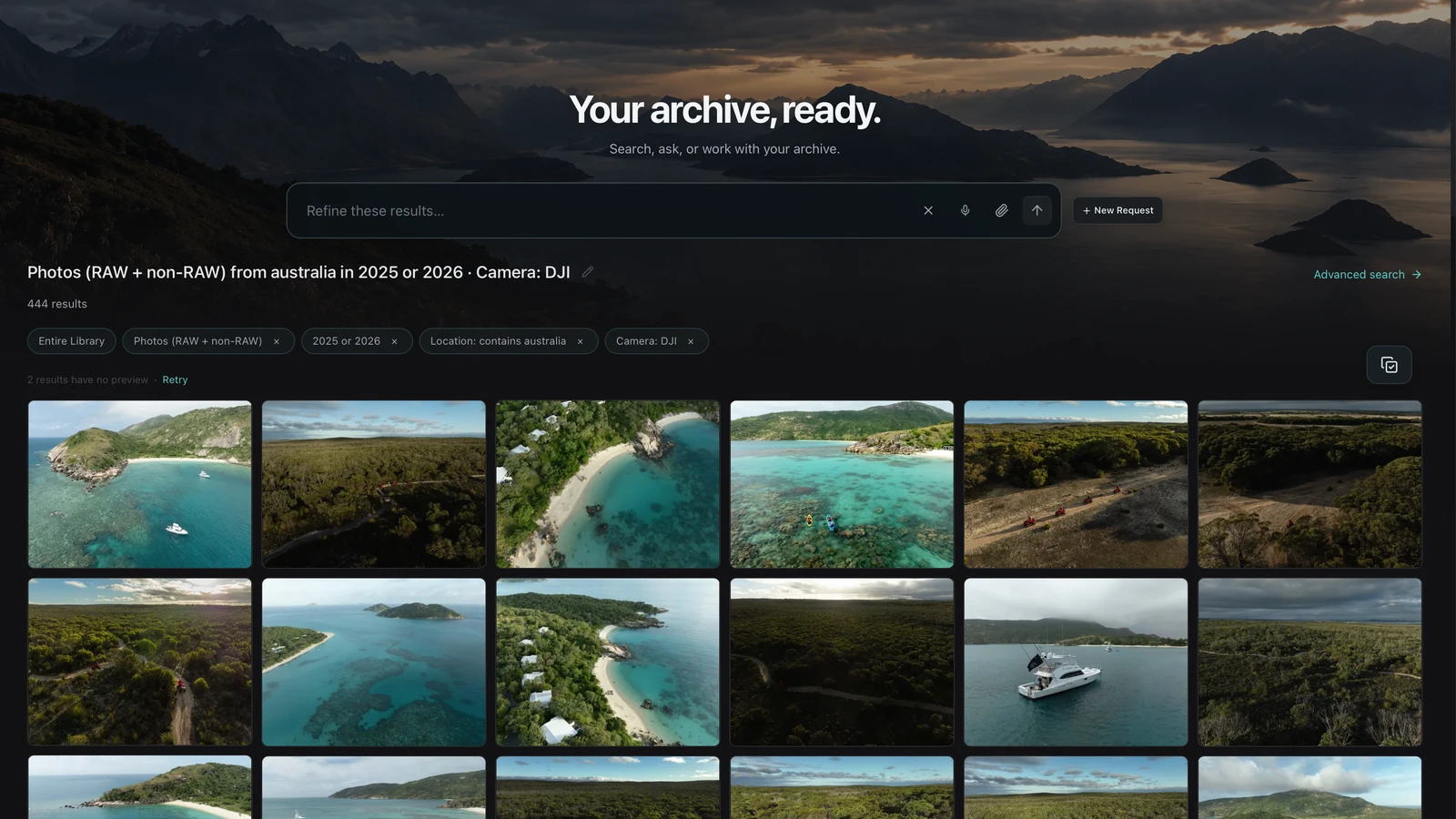
Type it the way you’d say it, like “boats at sunset in Palawan” or “DJI drone photos from Australia in 2026”, and Mantle finds it. Or browse by people, places, years and cameras. Search saved previews even with an indexed drive unplugged.
Ask Mantle anything about your archive…Refine these results…DJI drone photos from Australia in 2026
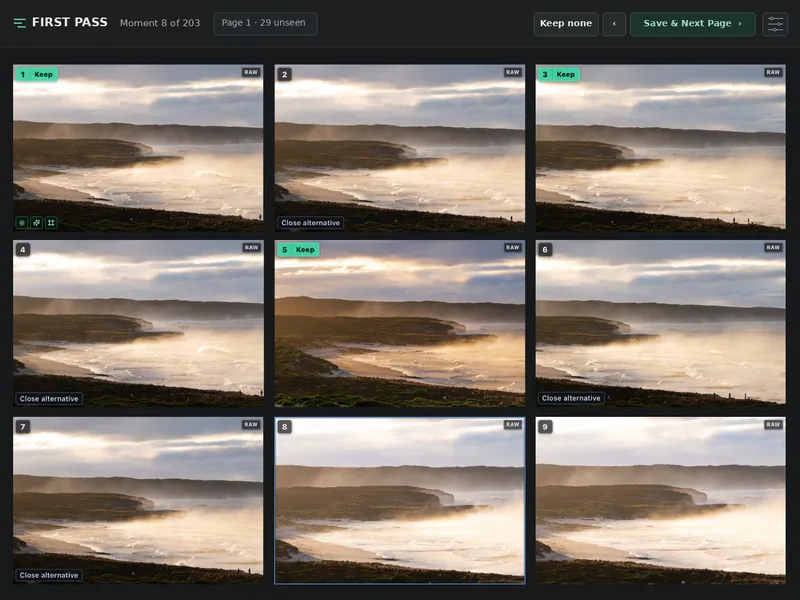
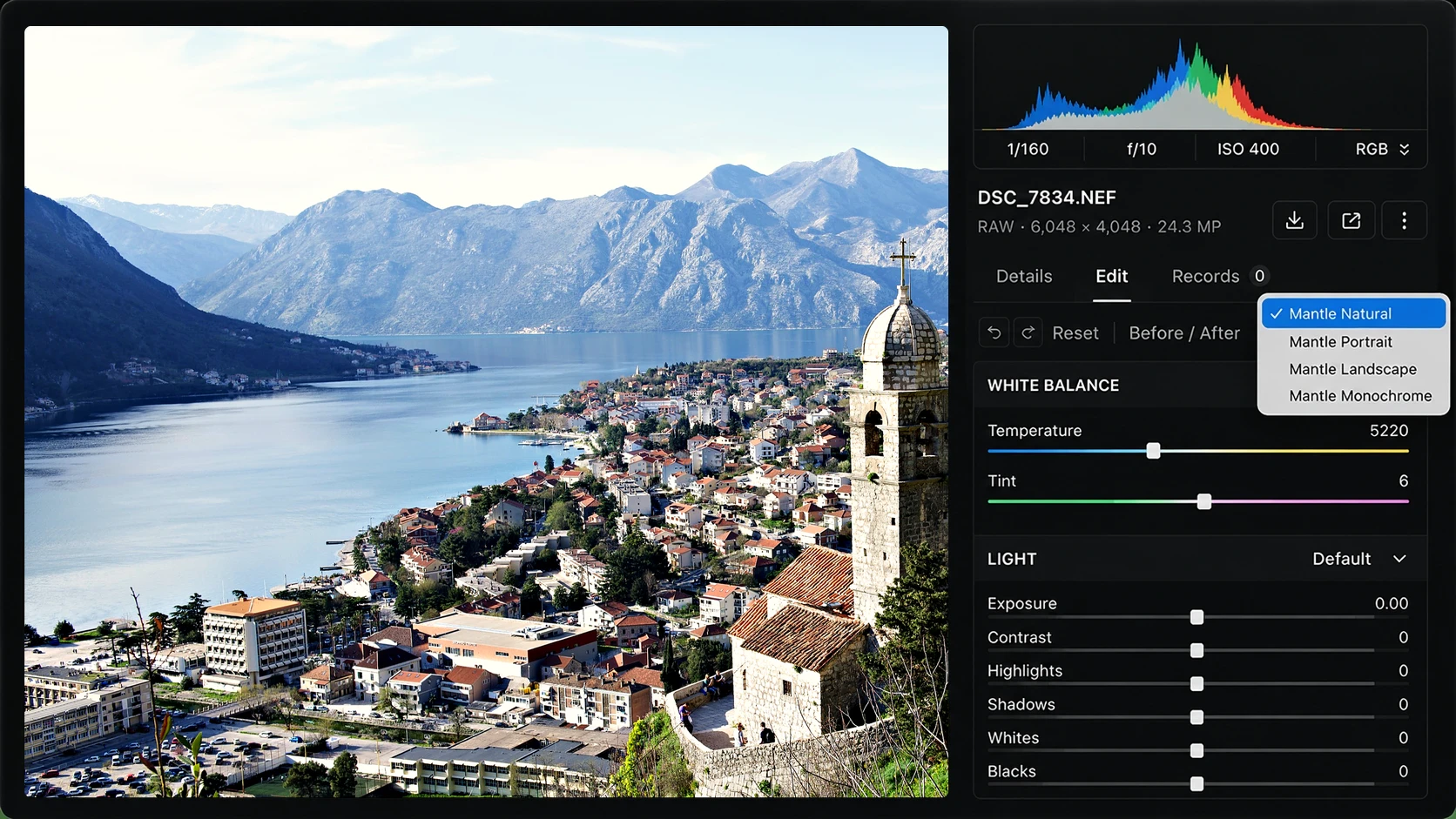
Let Automatic First Pass suggest the best frame from each burst, or choose yourself. Then edit supported RAW files right in Mantle, try different looks without losing the original, and open available photos in Lightroom or Photoshop when you want.
Choose your keepers
Make your own selections or start with Automatic First Pass.
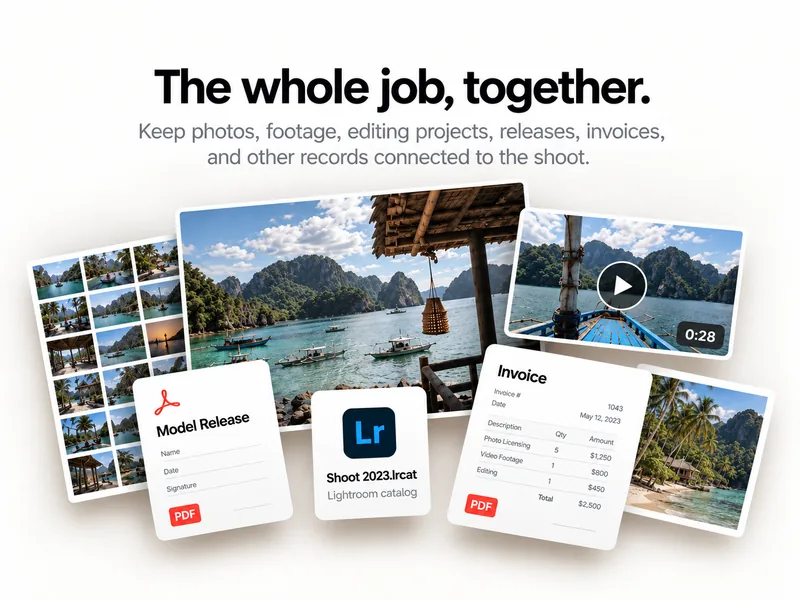
Every job gets one home, whether it's a shoot or a design project. Photos, footage, layouts, fonts, client files and paperwork stay linked, wherever they're stored, and Mantle shows what still needs a backup.
Shoots
Photos and footage, the Lightroom catalog, client files, releases and invoices. Set how many copies the shoot needs.
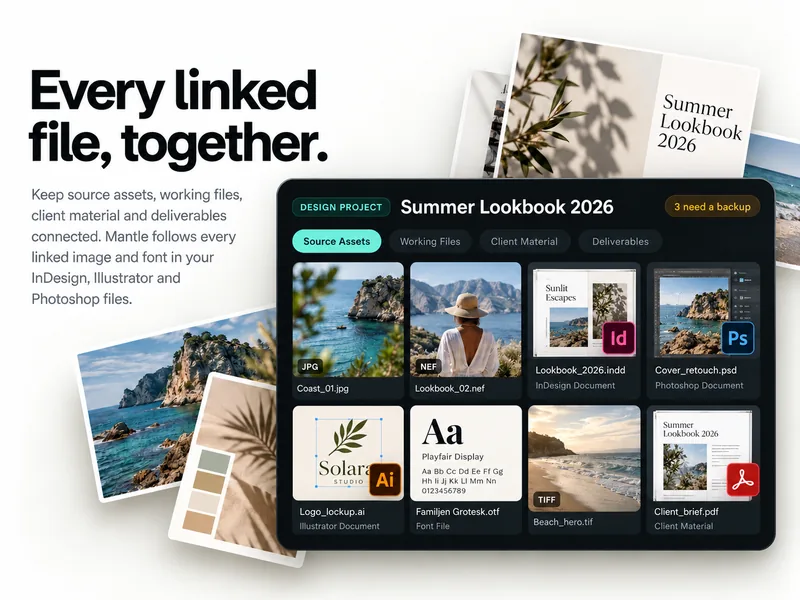
Source assets, working files, client material and deliverables. Mantle follows every linked image and font in your InDesign, Illustrator and Photoshop files.
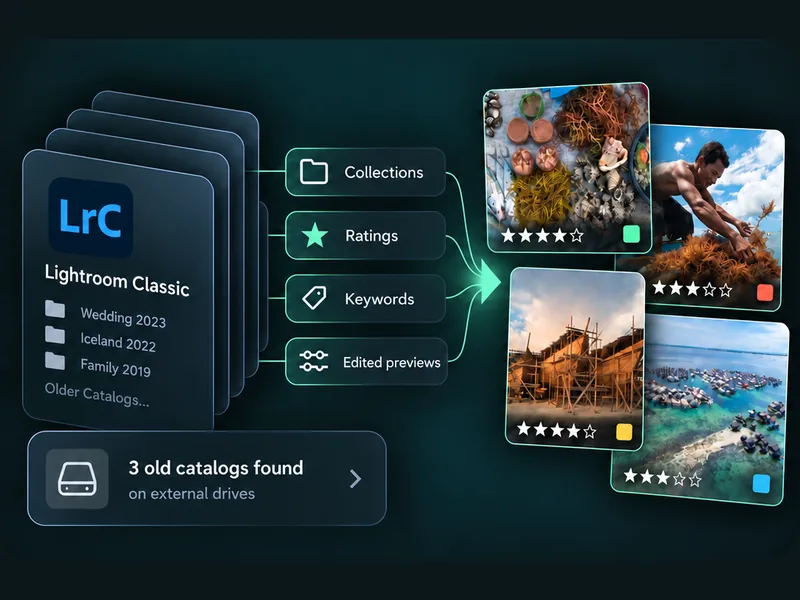
Bring your Lightroom Classic collections, ratings, keywords and edited previews into Mantle, so you see your photos the way you edited them. Found a drive full of old catalogs? Mantle finds them all.
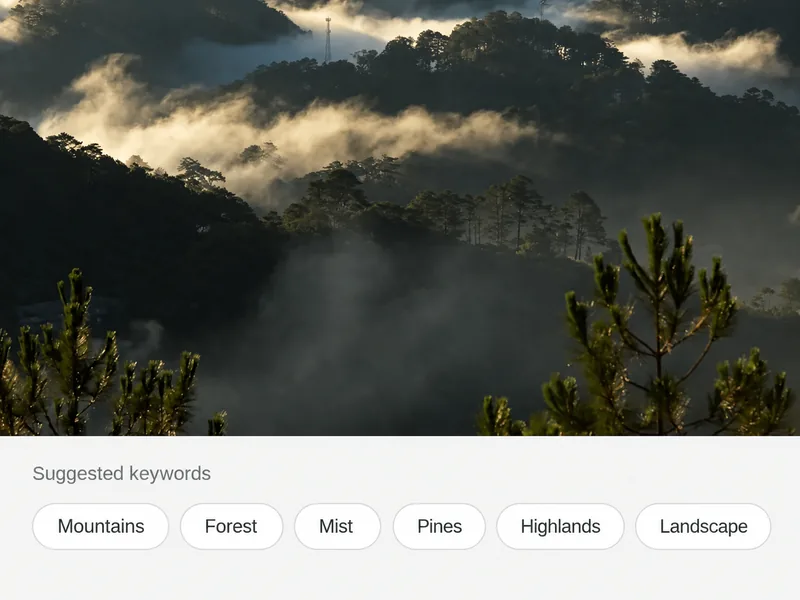
Optional AI adds descriptions, keywords and timestamps to your photos and videos, so more of your archive turns up when you search, down to the right moment in a clip. You see the estimated cost before anything runs.
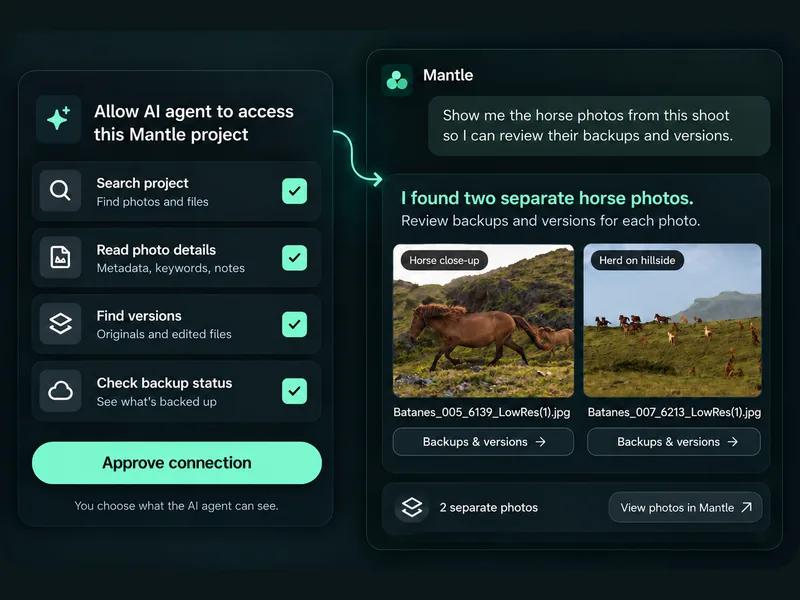
Ask the AI assistant you already use to search your archive, read a photo's details, find its versions and check what still needs a backup. You choose what it can see, and you approve every connection.
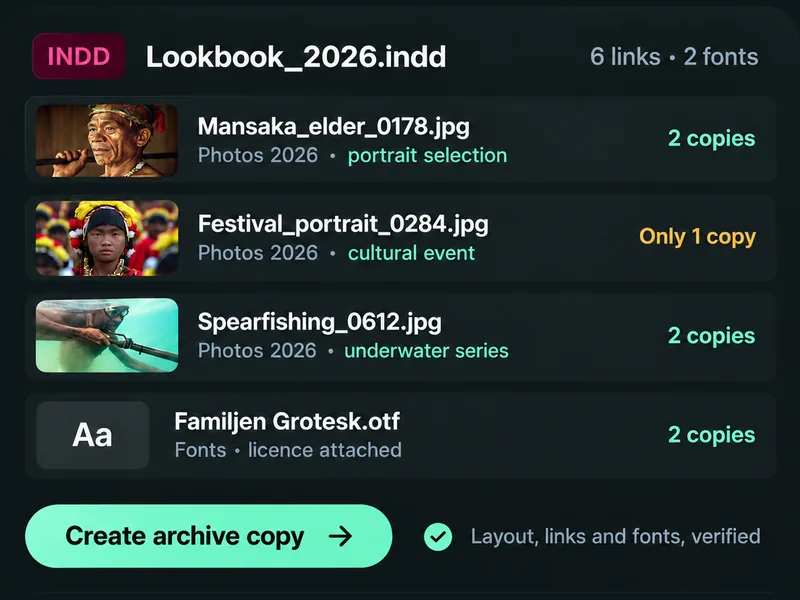
Mantle reads the images and fonts your InDesign, Illustrator and Photoshop files link to, even ones stored outside the project folder, and shows which have a backup. Make an archive copy that includes them all.
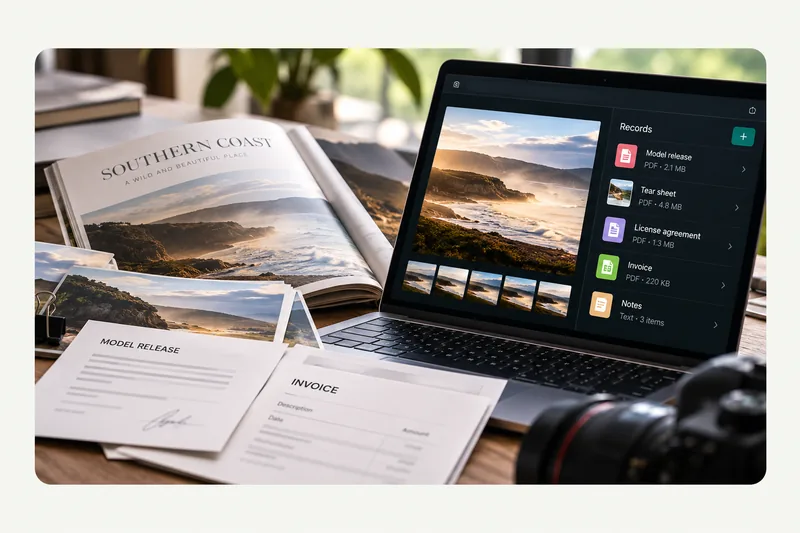
Attach model releases, licenses, tear sheets and invoices to a photo, or to a whole project. Drop in a new tear sheet and Mantle finds the published photos for you.
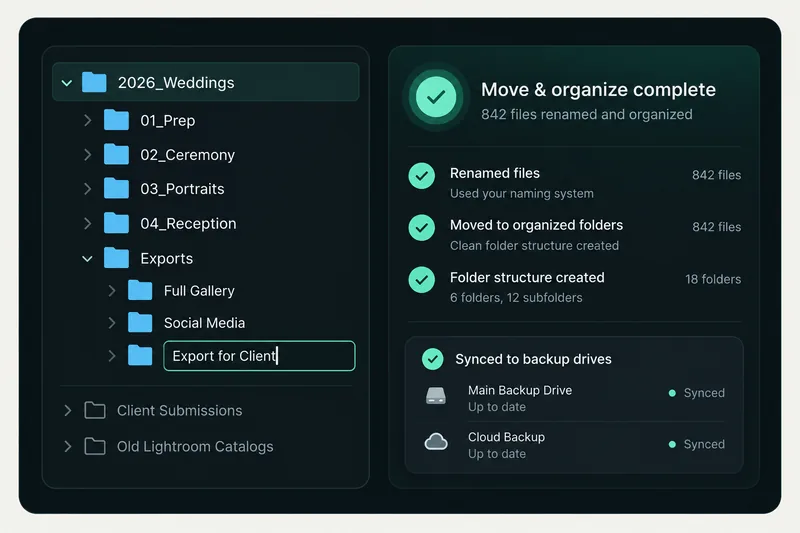
Rename hundreds of files at once or move whole folders, and Mantle keeps track of everything. Live Sync copies new files to your backup drives automatically.
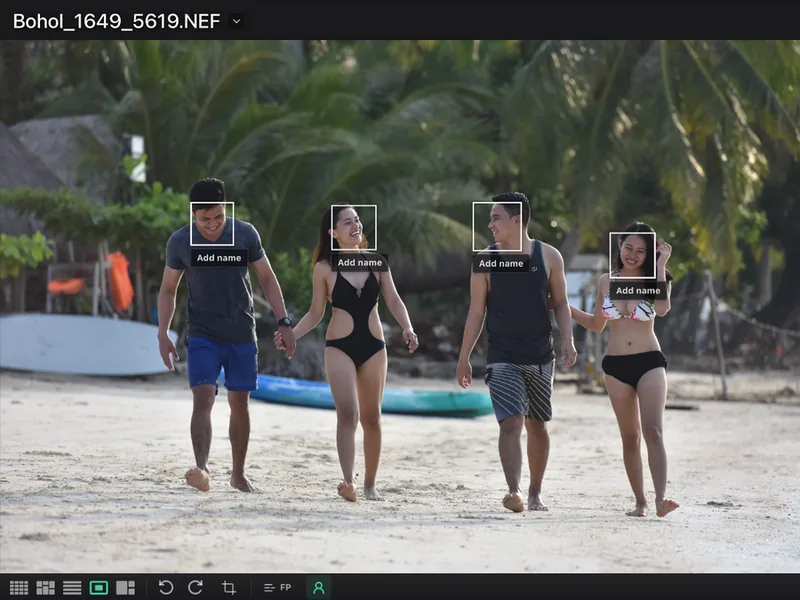
Find people by face, privately on your Mac. Shooting races or events? Mantle reads bib numbers and name badges too. Review suggested matches before applying them.
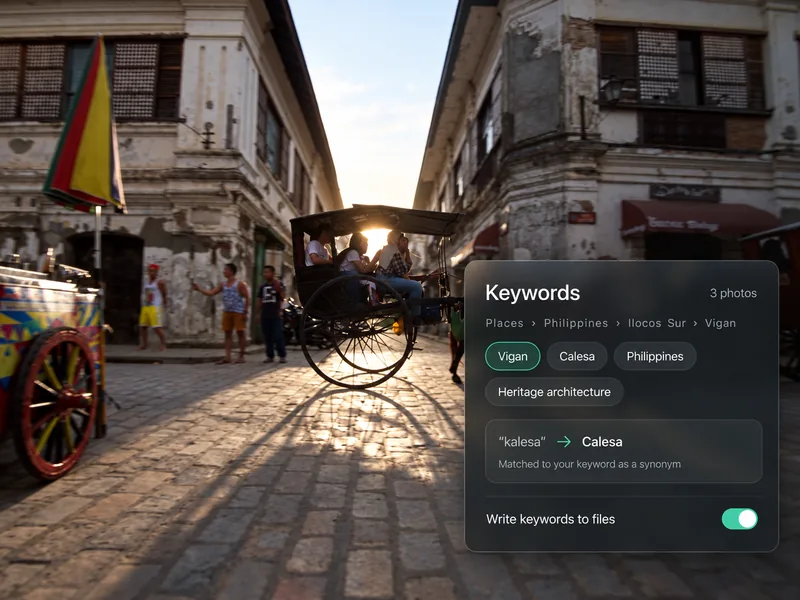
Group your keywords (Places › Philippines › Vigan), add synonyms so "kalesa" and "calesa" mean the same thing, and choose which ones are written to your files.
Also in Mantle:
Start with one drive.
No reorganizing. No uploading. Your files stay where they are.
01
Connected drives
WorkingIndexed · 41,208 files
Backup 2026 AIndexing · 3,960 files found
Travel SSD 2026Offline · previews saved
Add a drive.
Plug in any drive with photos or footage on it. Nothing gets moved or renamed.
02
Backup 2026 A
Previews · 1,284 of 3,960
Start browsing.
Previews appear as Mantle works through the drive in the background.
Find work by description, and see every drive it's on.
“When my drives started to fail, I couldn't tell which photos had another copy. So I built Mantle.”
Jacob Maentz
Founder · Documentary photographer
Read the story →
Buy once. No subscription.
One price, with 12 months of updates included.
Try it free for 14 days. No credit card.
Everything that runs on your Mac is included. Ask Mantle comes with 1,000 questions a month, and optional cloud AI is pay-as-you-go.
For Macs with Apple silicon. Intel and Windows versions are planned.
Private preview. Pricing announced before launch. The trial is available with eligible releases.
License details
Keep using your version forever. Want newer features after the first year? Add another year of updates whenever you like. There’s no auto-renewal, and you never pay for years you skipped.
With an eligible release, your trial starts when you activate it in Mantle—not when you download or sign in. No credit card or automatic charge.
Mac
macOS 14 or later, on a Mac with Apple silicon (M1 or newer).
Mantle shows where your other recorded copies live and which files may have existed only on the failed drive. Connect a surviving drive to use those originals. Saved previews aren’t full-resolution backups, and Mantle can’t recover files that existed only on failed hardware.
Will Mantle move or change my files?
No. Mantle reads your files where they are. Nothing is moved, renamed or changed unless you ask.
Can I browse my archive when a drive is unplugged?
Yes. Once a drive is indexed, Mantle keeps saved previews so you can search and browse with the drive in a drawer. Plug it back in when you need the full-size original. Video playback also needs an available source.
Can I keep using my photo or video editor?
Yes. Open supported photos in installed Lightroom, Capture One or Photoshop with one click, and export supported sequences to your video editor.
Do I need to upload my archive?
No. Your catalog stays on your computer. Cloud storage connections and online AI are optional. Account sign-in, licensing and updates use the internet separately.
RAW and JPEG photos, video, audio, PDFs and documents, plus design files: Photoshop, Illustrator, InDesign, Affinity, Sketch, Figma and XD files, and fonts. Previews appear where the format provides one.
Can I use Mantle with ChatGPT, Claude or other AI agents?
Yes, with assistants that support the Model Context Protocol (MCP). Approve a connection in Mantle and the assistant can search the projects you chose, read metadata, find versions and check backup status. It can't change your files.
Design projects
Source assets, working files, client material and deliverables. Mantle follows every linked image and font in your InDesign, Illustrator and Photoshop files.
Links and fonts, followed for you.
Mantle reads the links and fonts recorded in INDD, IDML, AI and PSD files and matches them to files in your archive, even on other drives or in other folders. Missing or unresolved links are flagged for review.
Back up the whole project.
See which linked files have copies on another drive, then create a verified archive copy that includes the layout, its links and its fonts. Your originals stay where they are.
Every linked image, accounted for
Reopen a layout years from now and find everything it needs.
Links and fonts, followed for you.
Mantle reads the links and fonts recorded in INDD, IDML, AI and PSD files and matches them to files in your archive, even on other drives or in other folders. Missing or unresolved links are flagged for review.
Back up the whole project.
See which linked files have copies on another drive, then create a verified archive copy that includes the layout, its links and its fonts. Your originals stay where they are.
Works with your AI agents
Your archive, answerable from the assistant you already work in.
Ask it like you'd ask Mantle.
"Which photos from the Australia shoot still need a backup?" "Find the version I sent the client." An agent connected to Mantle can search, read metadata like dates, places, cameras and keywords, follow versions and related files, and check copies and backup status.
You stay in control.
Connect an assistant that supports the Model Context Protocol (MCP), then approve it in Mantle for the projects you choose. Access is read-only, ends when you disconnect, and is never granted by the assistant itself.
Find the work you remember.
Describe what you remember, like "boats at sunset in Palawan", and Mantle finds it across every drive you've added, even the ones in a drawer.
Ask the way you'd say it
Type a sentence and Mantle turns it into filters you can see and adjust: place, year, camera, people and more. Or browse your archive by places, time and cameras.
Find it, then use it
Open any result to see which drive holds the original and where its copies are. Select a group to add to a Collection, save the search, or get it ready to export. Spoken words in transcribed video and audio are searchable too.
Back it up once. Know it's safe.
Copy a shoot from your card to your working drive and your backups in one go. Mantle checks every copy and shows you exactly what's protected and what isn't.
Keep the related work connected
From card to backups in one pass
Pick the card, your working drive and one or more backup drives. Name folders and files your way, and Mantle skips anything you've already imported. When it's done, you get a report for each drive: what copied, what was verified, and anything that needs a look.
See what's backed up, at a glance
Every photo shows where its copies live and when they were last checked. Mantle lists what still needs another copy, and keeps your edits, exports and Lightroom catalogs linked to the original so they're protected too.
Edit, then try another look.
Edit your RAW files right in Mantle, try a different direction, and always keep the original.
Edit without leaving your archive
Adjust color, tone, detail and crop on supported RAW files. Reuse your favorite settings as presets, or apply them to a whole batch.
Try another look, keep them all
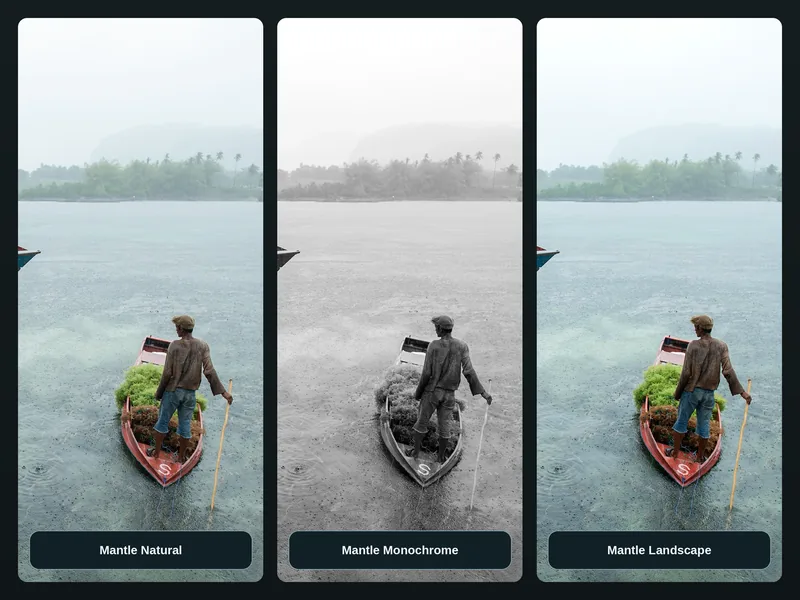
Save named versions, like "Natural" and "Black and white", and switch between them anytime. Versions don't create extra files. When you want your usual editor, open the photo in Lightroom or Photoshop.
Choose your keepers
Shot 40 frames of the same moment? First Pass puts them side by side, so picking the best one takes seconds, not an afternoon.
Let Mantle make a first selection
Run Automatic First Pass on a folder or a Shoot and it suggests the strongest frame from each moment. Slide between fewer or more picks, and give extra weight to the people who matter most, like the couple at a wedding.
You make the final call
Compare similar frames side by side, keep the ones you want and set aside the rest. Your decisions always override the suggestions.
Find the moment in your footage
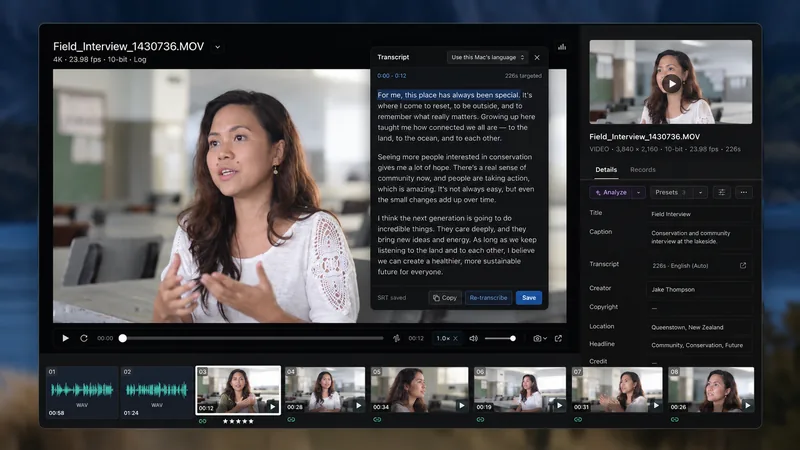
Interviews, B-roll and separately recorded sound, all searchable and kept together.
Picture and sound, in sync
Match camera clips with audio from a separate recorder, and keep them together in your archive.
Search what was said
Transcribe interviews on your Mac, search the words, and jump straight to the moment someone said them. Optional AI analysis can also find what appears on screen.
Keep every project together.
Every job gets one home, whether it's a shoot or a design project. Photos, footage, layouts, fonts, client files and paperwork stay linked, wherever they're stored, and Mantle shows what still needs a backup.
Everything for the job, in one place
Photos and footage, the Lightroom catalog, client submissions and behind-the-scenes shots sit together with the paperwork: releases, invoices, deliverables and where the work was published. Add notes and reminders as the job goes.
Protect each job the way it deserves
Decide how many copies a Shoot needs, and Mantle shows which of its files are still short of that.
Design projects
Source assets, working files, client material and deliverables. Mantle follows every linked image and font in your InDesign, Illustrator and Photoshop files.
Your archive stays on your Mac
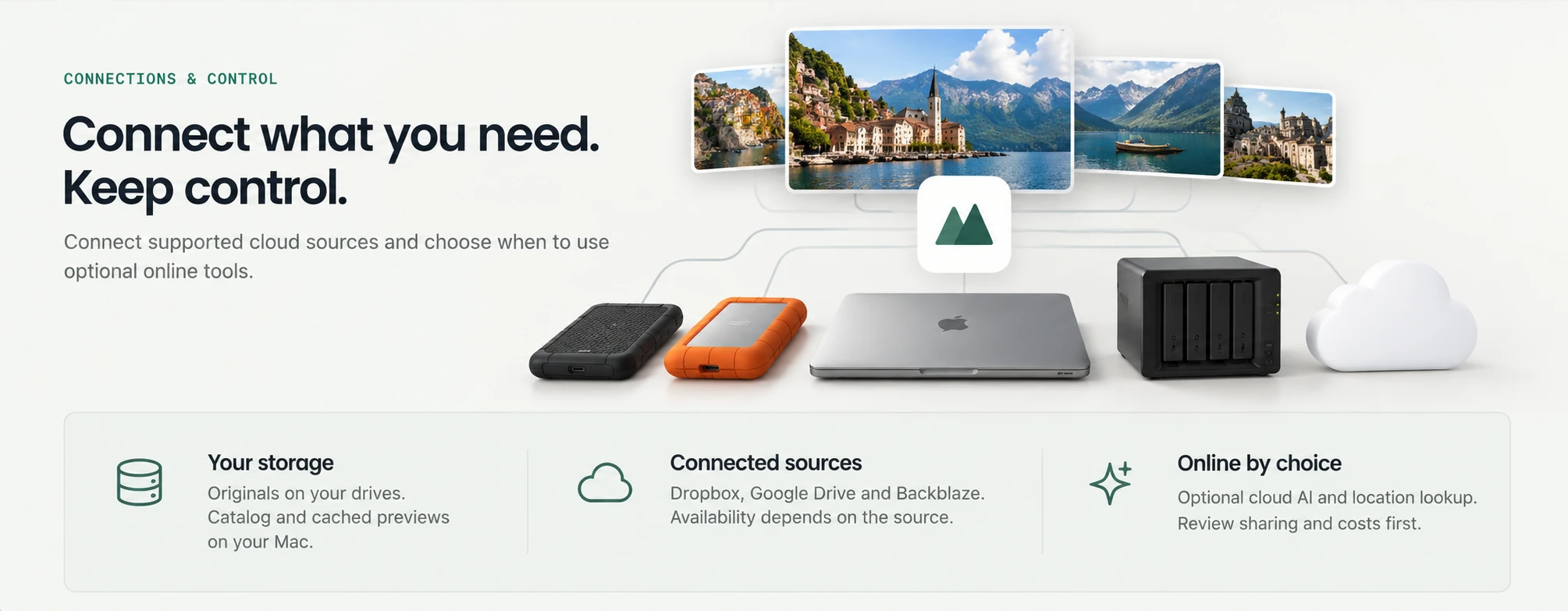
Your catalog and previews live on your Mac, and your originals stay on your drives. Nothing is uploaded unless you choose to.
Works offline, works locally
Browse, search, choose your keepers, transcribe and edit, all on your Mac with no cloud AI.
Online only when you choose
Add supported cloud storage alongside your drives, and use optional AI only when you want it, seeing what's shared and what it costs first, and connect an AI agent to the projects you choose, only when you approve it.
Find everyone
Find every photo of someone, privately on your Mac. Shooting a race or a conference? Mantle reads bibs and name badges too.
Faces, recognized on your Mac
Mantle finds faces and suggests who they are. Name a person once and find them across your whole archive. You confirm every match.
Bibs, badges and jerseys
Load a Shoot's roster and Mantle reads printed names and numbers in your photos, then suggests Event Tags for you to review. This uses what's printed, not faces.
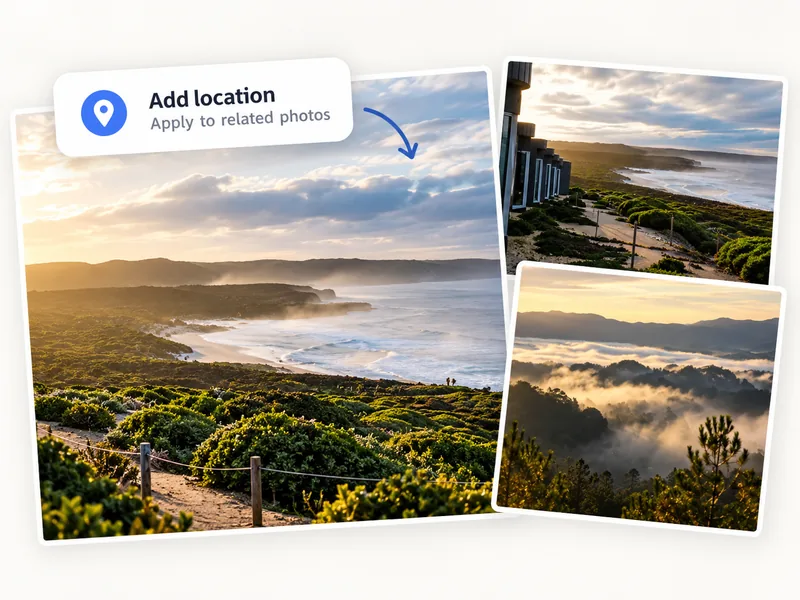
Add locations & events
Fill in missing places and event information for related photographs together, rather than updating every file individually.
Find the work again
Find the work again by where it was made or the occasion it belongs to.
Place names, GPS and lookup
Names and coordinates
Location and event fields describe photographs. A saved place name does not add precise GPS coordinates or replace existing GPS. Venue maps to IPTC Sublocation.
Location lookup
Recorded GPS can be resolved using the local place database. Separately enabled online lookup or opening Maps can send coordinates to a location service. Review the proposed place before applying it.
Event information and Event Tags
An occasion or event field is different from matching printed identifiers to a Shoot roster.
Every photo, described
Let optional AI describe what's in your photos and videos, so you can search for things no keyword ever covered.
You choose what's analyzed
Pick the photos or clips, see exactly what will be shared and the estimated cost, then decide. Nothing runs without your OK.
Searchable, down to the moment
Descriptions make your archive easier to search, and timestamped video analysis takes you straight to the moment in a clip. Keep the suggested keywords too, if you want them.
Voice memos
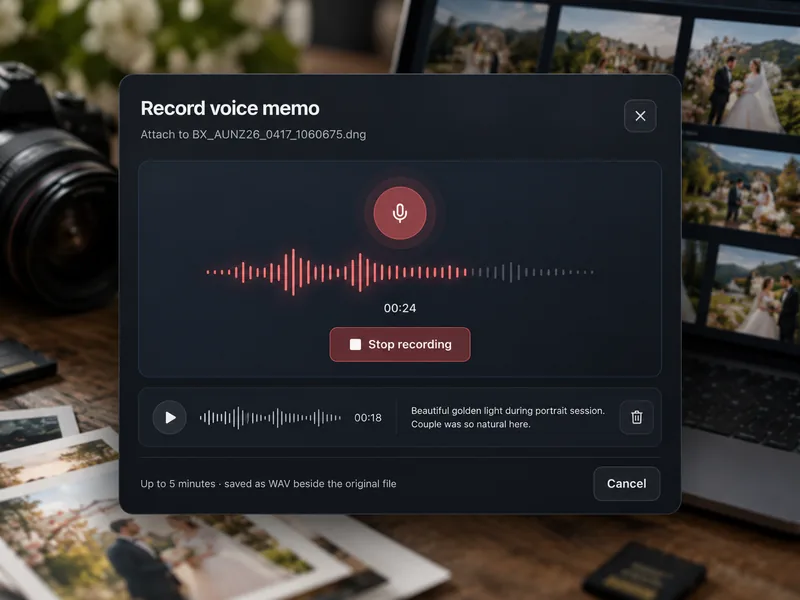
Say what you'll forget later, like who's in the photo, where it was and why it matters, and keep it with the picture.
Recording illustration; memos are saved beside the available original.
Record it, or use your camera's
Record a spoken note of up to five minutes, or use the voice memo from a supported camera. It's saved right beside the original file.
Turn words into search
Transcribe the memo on your Mac and search what you said, years later.
Up and running fast
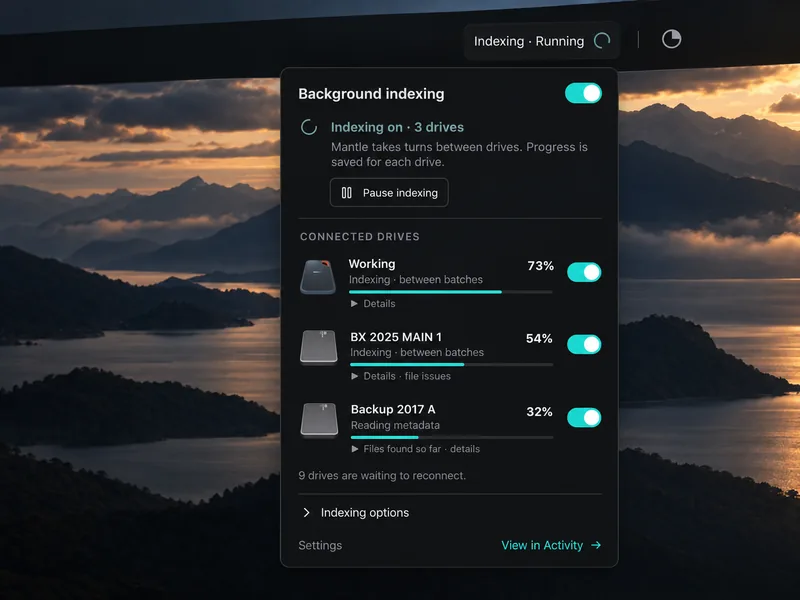
Add your drives and start browsing in minutes. Mantle builds previews in the background while you work.
Browse as previews appear
Add several drives at once. Thumbnails fill in as Mantle works through each one, and you can search what's already done.
On your schedule
Pause and resume indexing anytime, for example when you need your Mac's full speed for an edit.
Bring Lightroom with you
Bring your Lightroom Classic collections, ratings and keywords into Mantle. Your Lightroom catalog and original files stay exactly as they are.
Your organization, carried over
Years of collections, star ratings and keywords come across, so your archive starts organized instead of from scratch.
See your edits, not just the originals.
Turn on edit previews and Mantle keeps a Lightroom-rendered preview of each edited photo next to its original. It refreshes only the photos you change.
Find every catalog.
Point Mantle at a drive or folder and it lists every Lightroom catalog it finds, with backups flagged, then scans the ones you choose.
Tidy bursts automatically
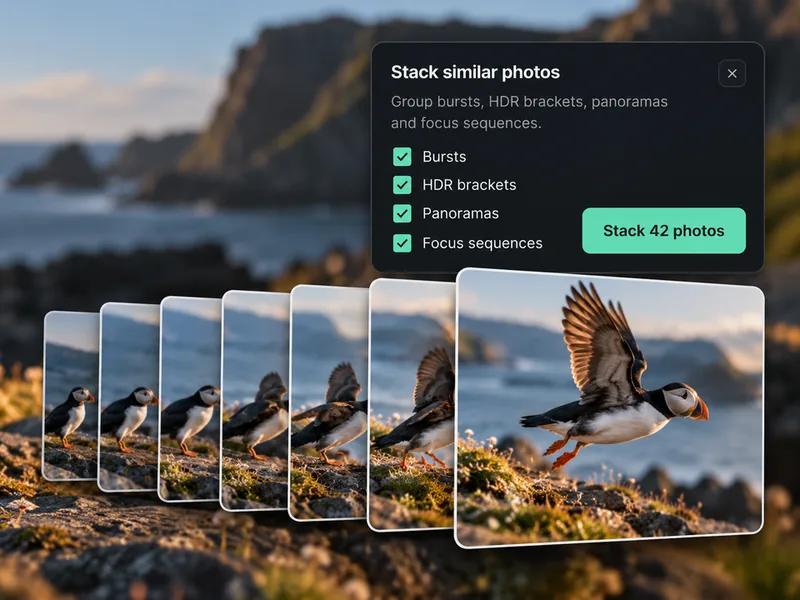
Bursts, HDR brackets, panoramas, focus stacks, timelapses and astro sequences group themselves, so a folder of 3,000 frames looks like 300 moments.
Grouped for you
Mantle recognizes related frames and stacks them together. Open a stack whenever you want to see every frame.
Your way, when you want it
Make your own stacks, name them, or fix one Mantle got wrong. Your changes are always kept.
Contact sheets, the old way
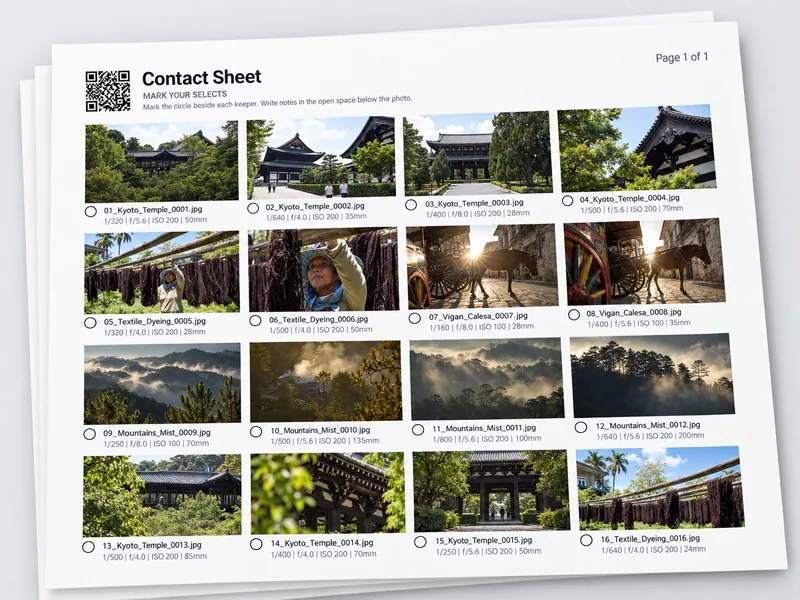
Some clients still like paper. Print a contact sheet, let them circle their favorites, and Mantle does the rest.
Make a sheet in seconds
Choose the photos, the layout and the details to show, then export a PDF to print or share. Every sheet carries a code so Mantle knows which photos are on it.
Read the picks back
Scan or photograph the marked sheet and Mantle finds the circled photos and marks them for you to confirm.
Rename and reorganize, safely
Rename a thousand files or reorganize a whole folder, and Mantle keeps track of every one.
Preview every change first
See the new filenames before anything changes, fix any clashes, then apply. Move files and folders on a drive, and their ratings, keywords and records come along.
Backups that keep up
Live Sync watches your working folder and copies new and updated files to your backup drives.
Print drive labels
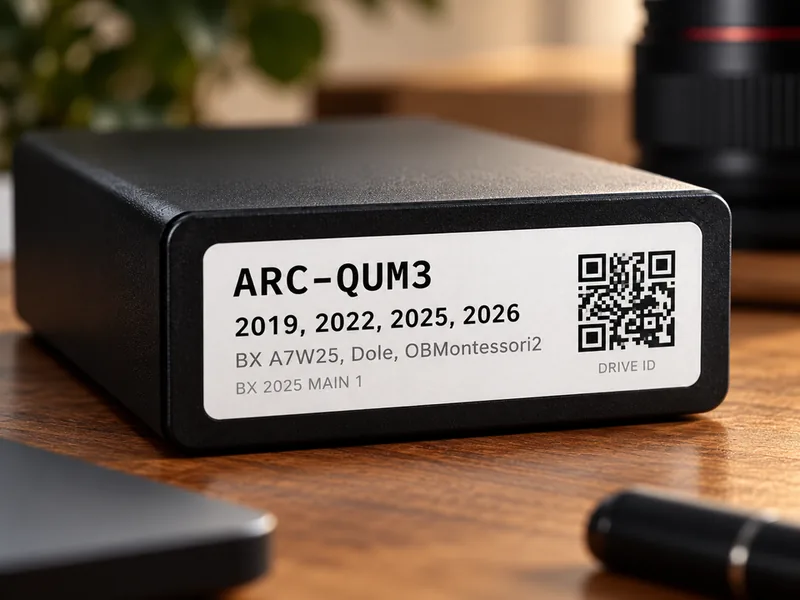
No more guessing which "Backup 2" is which. Print a label for every drive with its name, years and what's on it.
A label Mantle recognizes
Each label has a QR code that brings up that drive in Mantle, so the drive on your shelf and the drive in your catalog always match.
A guide for whoever comes next
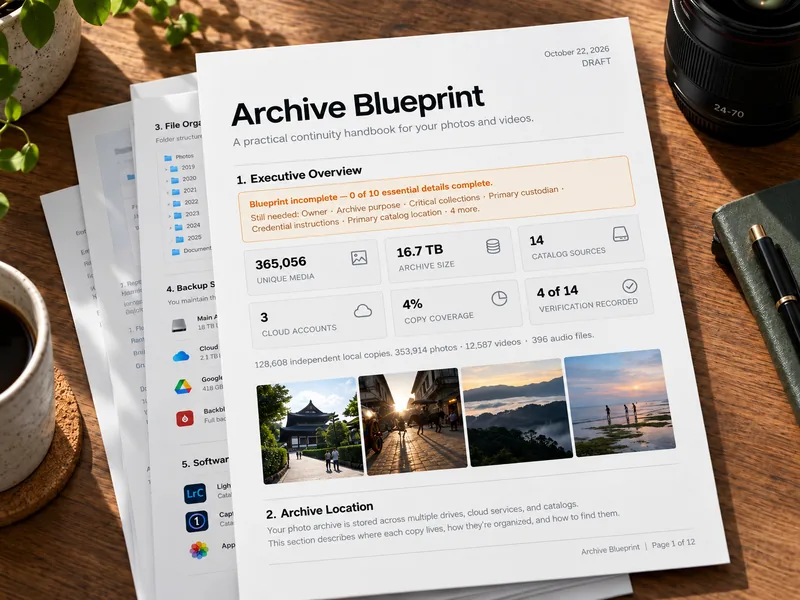
If something happened to you, could anyone find your best work? Archive Blueprint turns your archive into a simple PDF guide for family, a colleague or a future custodian.
Illustrative draft. Review the catalog facts and complete the owner instructions before sharing.
What matters, where it lives, what to do
Mantle fills in the facts, such as your drives, what's on them and how they're protected. You add the instructions only you know.
Review, then share
Read the draft, complete anything missing, and export the PDF. Keep passwords and recovery codes out of it and store them separately.
File formats and editor handoff
RAW editing support depends on your camera and file format.
Preview and editing
A file may have a viewable preview even when full editing is unavailable. Different editors may render the same RAW file differently.
Choose the operation
Lightroom Classic catalog import, Edit In, Collection handoff, linked projects and portable XMP metadata have different requirements. Editor-specific adjustments do not always translate.
Design files
PSD/PSB, AI, EPS, SVG, INDD/INDT/IDML, Affinity (Designer, Photo, Publisher), Sketch, Figma (.fig), XD, GIMP (XCF), Freehand, SmartAlbums, fonts (OTF/TTF/WOFF). Previews appear where the format provides one.
Formats, requirements and mapped settings
RAW development
Support depends on camera, compression/file variant and available decoder. Where offered and explicitly enabled, an installed Adobe DNG Converter can provide optional local compatibility; originals stay unchanged.
macOS 14 or later, on a Mac with Apple silicon (M1 or newer).
For Macs with Apple silicon. Intel and Windows versions are planned.
Large RAW output and optional denoise depend on available memory and processing limits.
Privacy
Your catalog and saved previews stay on your computer.
Your archive and local data
Adding your archive to Mantle does not move your files. Your originals stay where you keep them unless you choose to move or change them.
Catalog bundles can contain captions, locations and relative paths; they are not end-to-end encrypted. Catalog sharing does not automatically copy your original files.
Account and early-access information
Account sign-in, license and update services also use the internet. Mantle retains account and billing records and processing results needed to deliver the service and recover interrupted requests.
Optional AI processing
Photo previews, video frames, questions or relevant context may be processed by Mantle and its providers. Review the selection, consent, estimates and spending controls before starting.
Commercial APIs have no-training defaults, subject to provider settings and agreements. Provider retention policies can still apply even when content is not used for training.
AI agents you connect.
If you connect an outside AI assistant, it only gets the projects and information you approve, such as file names, metadata, versions and backup status. It can't change or move your files, and you can disconnect it any time. What that assistant does with the answers is covered by its own privacy policy.
Connected cloud services
Cloud storage, optional AI, account/license services, Catalog Sync and Live Sync are different workflows. Connector permissions, previews and availability depend on the source.
Recorded GPS can be resolved locally; configured online lookup and opening Maps may send coordinates to a location service.
Data retention and your choices
Providers may retain content for security, abuse prevention, legal requirements, caching, or the operation of a feature. Batch processing uses uploaded files.
Disabling saved provider responses is not a Zero Data Retention guarantee and does not delete previously stored data. Provider retention and uploaded batch files are separate. For work that must not leave your Mac, use local features and leave cloud AI disabled.
Website analytics and cookies
This notice covers optional analytics on the Mantle marketing website. Google Analytics loads only after you choose Allow. You can decline and keep using the website, or change your choice here at any time. Your choice is stored in this browser for up to 180 days. Withdrawing permission stops further analytics collection and removes Google Analytics cookies that this website can access.
If you allow analytics, Google receives technical information about visits, including browser and device details, approximate location, the referring website, page visits, and named actions such as opening a feature, playing the tour or clicking early access. Analytics cookies help distinguish visits. We do not send form contents, account details, email addresses, names, query strings or URL fragments in the events configured by this website.
Google processes analytics information, which may involve processing outside your country. Advertising signals, personalized advertising and user-provided data collection are not enabled by this website integration. Learn more about how Google uses information from websites and Google’s browser opt-out tool.
Current choice: not selected.
Contact
support@mantlearchive.com
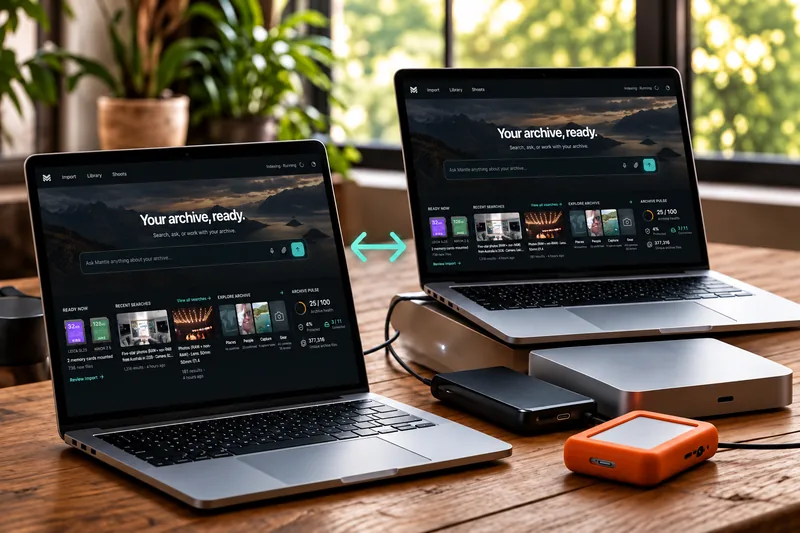
Work across two Macs
Your ratings, keywords and collections follow you from one Mac to the other. Your originals never leave their drives.
Catalog and previews travel · Originals stay on your drives
Online: Catalog Sync through Dropbox
Connect Dropbox on both Macs and Mantle keeps their catalogs in step, previews included. You can see what's syncing and settle anything both Macs changed.
Offline: carry it on a travel drive
Choose File › Travel Drive Sync and save to the drive. On the other Mac, choose Merge into this computer. Before you merge, Mantle shows which Mac saved it, when, and how much it holds. Before you head back, do the same in the other direction.
Keywords that stay consistent
One set of keywords for your whole archive. Tag something once and it turns up in every search, however you spelled it back then.
Hierarchy · Synonyms · Write to files
Build your list once
Nest places, people and subjects (Places › Philippines › Ilocos Sur › Vigan), add synonyms, and search the list as you tag. Bring your Lightroom keywords in and carry on from there. When optional AI suggests a term that's one of your synonyms, Mantle files it under your keyword instead of making a new one.
You decide what goes into your files
Keywords stay in your Mantle catalog until you choose to write them out. Pick whether the full path and synonyms go with them, so other apps see exactly what you want them to.
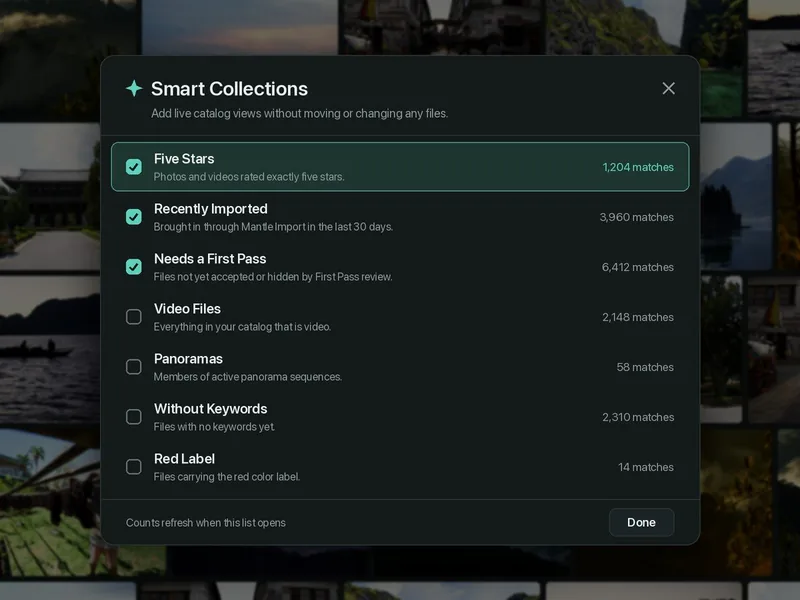
Smart Search & Smart Collections
Stop rebuilding the same selection every time. Mantle keeps your most useful views up to date on its own, without moving or copying a single file.
Built-in views · Your own saved searches · Always current
Smart Collections: ready-made
Built-in views such as Five Stars, Recently Imported, Needs a First Pass, Video Files, Panoramas and Without Keywords. Switch on the ones you want and they sit in your sidebar with a live count.
Smart Search: your own rules
Combine filters such as place, year, rating, camera, lens, keywords or people, then save the search. New work that matches joins on its own. Edit the rules any time.
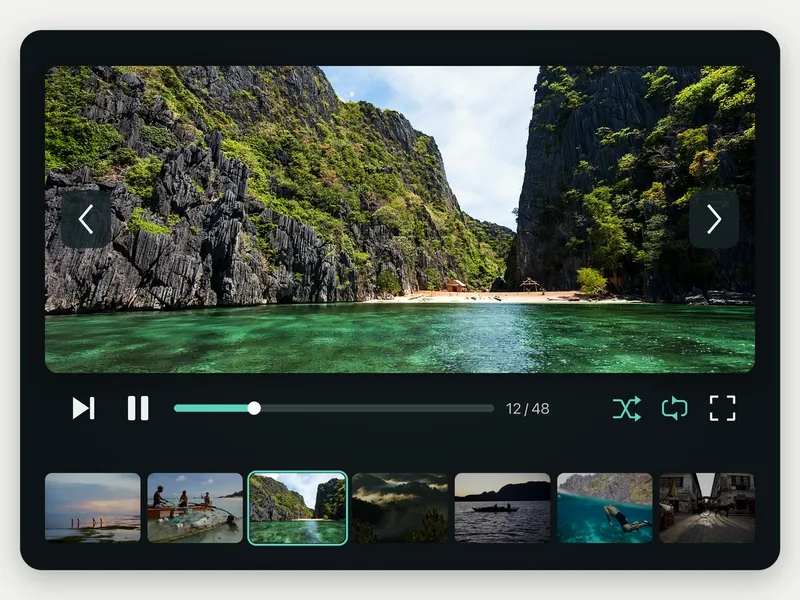
Slideshow
For a client meeting, a family dinner, or just seeing the trip again. Pick your photos and press play.
Full screen · Fade or slide · Loop and shuffle
Set the pace
Choose how long each photo stays up, then fade, slide or cut between them. Loop it, shuffle it, and pause or skip whenever you like.
Arrange as you go
The filmstrip lets you jump to any photo, drag to change the order, or take one out. It plays from Mantle's previews, so nothing is exported and your files aren't touched.
License and AI terms
Mantle software updates, trial availability, compatibility and optional AI allowance terms.
Purchase and updates
Keep using your version forever. Want newer features after the first year? Add another year of updates whenever you like. There’s no auto-renewal, and you never pay for years you skipped.
Your license does not expire, but compatibility with every future macOS or the lifetime of third-party services cannot be guaranteed. Supported macOS versions are listed with each release.
Trial and release availability
Mantle is in private preview. Pricing is announced before launch. A 14-day trial is available with an eligible release. Your trial starts when you activate it in Mantle, not when you download or sign in. No credit card or automatic charge.
Current customer releases require macOS 14 or later on a Mac with Apple silicon (M1 or newer). Intel and Windows versions are planned. Check the requirements listed with each release.
Included allowance and optional AI
Local search, First Pass, transcription, and photo editing do not spend AI credits. When enabled, Ask Mantle includes 1,000 completed queries per UTC calendar month; unused queries do not roll over. Optional cloud photo/video processing and consented additional queries use a separate Mantle AI balance and may cost extra.
Paid additional Assistant requests require separate opt-in. Adding funds is not consent to overage. Optional photo/video analysis has its own approval and estimated cost; an estimate is not a guaranteed final charge.
The paperwork stays with the picture
Every photo has a story beyond the pixels: who signed the release, where it ran, who bought it. Records keep that paperwork attached to the photo, so you never have to dig through email again.
Attach it once, find it anytime
Add a model or property release, license, tear sheet, print use, sale, invoice, contract or note to a photo, or to a whole project. Attach the PDF, a scan, a link or just a few lines of text. Rename or move the photo with Mantle and its records come along. Open any photo and its records are one click away.
Drop in a tear sheet. Mantle finds the photos.
When a magazine spread or web page arrives, drop the tear sheet (an image or a PDF of up to 12 pages) onto Home. Mantle finds each photo on the page, matches it to your library on your Mac, and shows you what it found. Confirm, and the tear sheet is attached to every matching photo. Anything uncertain waits for you to decide.
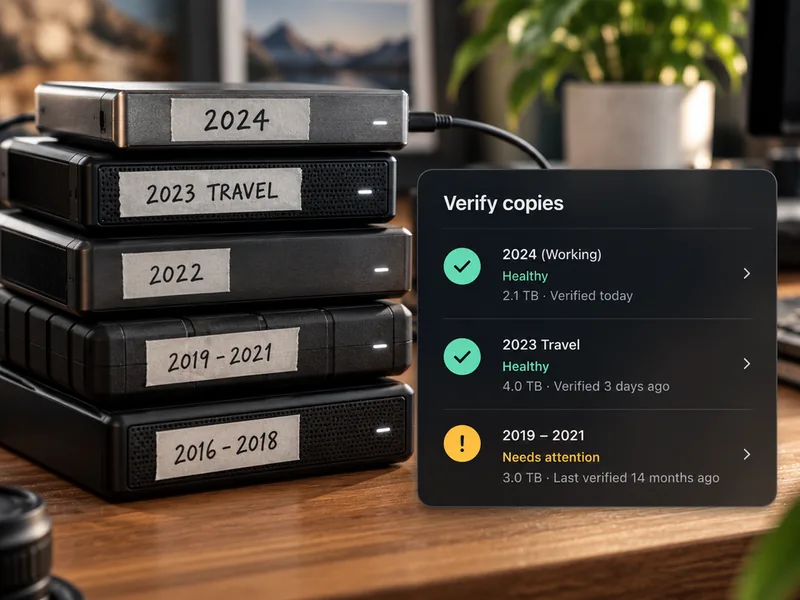
Swap drives without the stress
Drives don't last forever. Mantle warns you when one starts to fail, shows what's only on it, and helps you move to a new drive safely.
Know when a drive needs attention
See health warnings from drives that report them, along with exactly which files have no other copy, while there's still time to act.
Move to a new drive, checked
Choose the old drive and the new one, and Mantle copies everything, verifies every file, then hands over. Keep the old drive as an extra backup if you like.